New PSA-COM Diagnostic Scanner Work on CITROEN C3 Picasso Perfectly
PSA-COM Bluetooth is a 16 pin Diagnostic & Programming Tool for Peugeot/Citroen vehicles. It is a perfect Replacement of Lexia-3 PP2000, here obd2 engineer will show you how to use PSACOM to read CITROEN Picasso live data and trouble codes.
Device: PSA-COM Bluetooth Diagnostic and Programming Tool —$89.99
It is just a small box, but has powerful function. Don’t take up location of your vehicle.

Note: You should install SuperScan software on Windowns 2000/XP/Vista/7/8/8.1/10 or Linux and Mac OS/X first(XP is better)
insert PSACOM diagnostic interface to vehicle 16pin OBD port
Connect with laptop via Bluetooth.
Then Run SuperScan
Choose “Diagnosis”

Click “+ New vehicle”

Choose “CITROEN” icon and click Create

PSA-COM software is analysing possible on-board systems…

Click “Connect”

Then choose vehicle ECU Model and click OK

The software is connecting to ECU…
Now, we use PSA-COM to read live data first, click “Live Data”

Then choose the data you want to read by clicking “Name” and clicking “+” icon

The live data is read out

Next, we use PSA-COM scanner to read trouble codes
Click “Return” and choose “Trouble Codes”

PSA-COM scanner software will show you the trouble codes and its description quickly

Besides reading live data and trouble codes, you can also use PSA-COM to do some special functions such as
-Key programming
-Service reset
-DPF (Diesel Particulate Filter) regeneration
-EGR (Exhaust Gas Recirculation) self-test
-Airbag programming
-Injector programming
-Power Steering calibration
-ECU replacement
-Car configurations
For detailed information, please check here:
https://www.chinaobd2.com/wholesale/psacom-bluetooth-diagnostic-and-programming-tool-for-peugeot-citroen.html
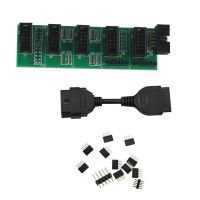 US$9.99 / piece
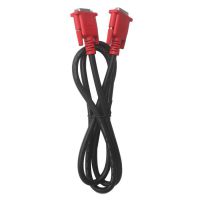 US$14.99 / piece
 US$129.00 / piece
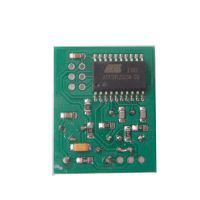 US$9.99 / piece
 US$16.99 / piece
 US$69.00 / piece
 US$375.00 / piece
 US$99.00 / piece
 US$49.99 / piece
 US$14.99 / piece
 US$349.00 / piece
 US$319.00 / piece

