VVDI MB Tool All Keys Lost Programming for Benz W204 w207
In this instruction,UOBD2 want to show you how to use VVDI MB tool to program new keys for Mercedes Benz W204 W207 all key lost.
Run VVDI MB Software,and select “EIS Tool”
Chassis “Auto Detect (CAN)”
Click “Read EIS data”

Select “Save EIS data” to save the EIS data on your PC


Select “Password Calculation”

Select this if lost all working key
Then select “W172,W204,W207”
Select “Data Acquisition”

Then it will prompt you with below massage
Warning:
1.This operation need about 2.5 hours.
2.Connect EIS with correct cable before contiue
3.Don’t connect ESL to cable
Click “Yes” to continue

Connect EIS with correct cable on the bench,don’t connect ESL
Connect “device OBD line” to cable OBD head.
Attention:Not car OBD
Press OK after confirm

Connect “IR adapter” to VVDI MB Tool
Please connect VVDI MB BGA Tool,EIS and emulator key as blow show

Press OK,now it will cost you about 2.5 hours
After then completing,please save the data on your PC

Acquistion finished,upload the saved data with “Upload Data” for password,click “OK” to continue


Select the data you save just now

Upload success.Queue number:1,require about 1 minutes to finish

Wait about 1 minute,the press “Query result”

Copy “Key Password”

Back to “EIS Tool” and click “Read EIS data”
Paste the key password

Save EIS data


Press “OK” to save HC05 formal file

Select “Prepare Key File” and click Load EIS file

Select the data file you save just to upload

Select “Key 4” and “v051”,then click “Prepare Key file”

Now save the key file


Then click “Load Key file” to load key file you save


Click “Write” button to start writing key

Now click “Identification key” again to check

The key data file have been wrote into key,then back to “EIS Tool”

Click “Read EIS data”


Now use the new key to turn ignition on and off several time

Read EIS data again

Key 4 is activated done!

Done!
https://www.chinaobd2.com/wholesale/xhorse-vvdi-mb-bga-tool.html
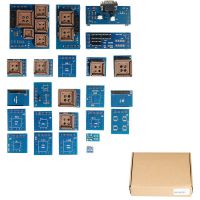 US$49.99 / piece
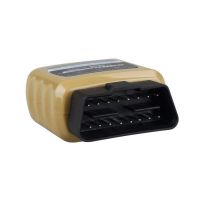 US$17.99 / piece
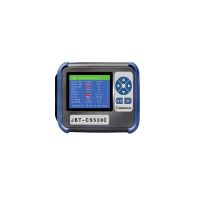 US$1,299.00 / piece
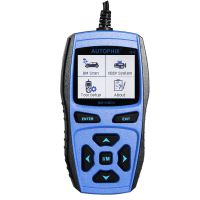 US$79.99 / piece
 US$269.00 / piece
 US$2,100.00 / piece
 US$135.00 / piece
 US$199.00 / piece
 US$22.99 / piece
 US$169.00 / piece
 US$159.00 / piece
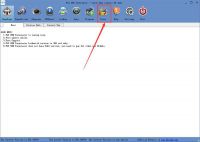 US$179.00 / piece

