how to use CGDI BMW Programmer to do F Series Coding
This is a mini guide on how to use CGDI BMW Programmer to coding for BMW F-series.
Connect OBD and click BMW F series coding

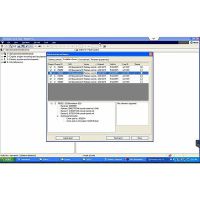
Choose ECU info
Note: this function needs to connect the internet, please confirm the network is smooth, click ECU info

After reading ECU successfully, click on 3. FEM_BODY

Select Backup coding and choose yes


Note: Coding succeed, this file is the save route

Click coding

Coding successfully

Src:https://www.chinaobd2.com/wholesale/cgdi-pro-bmw-msv80-key-programmer.html
Related Products
 US$74.99 / piece
 US$7.99 / piece
 US$99.99 / piece
 US$439.00 / piece
 US$59.99 / piece
 US$69.99 / piece
 US$8.99 / piece
 US$34.99 / piece
 US$609.00 / piece
 US$10.99 / piece
 US$109.00 / piece
 US$19.99 / piece


Categories
Popular Post